“One USB-C charger handled my laptop and phone, but I verified the laptop wattage first.”
— packing light for Aruba
Will my laptop plug fit outlets in Aruba?
For laptop charging in Aruba, treat plug shape and electrical input as two separate checks. The local outlets are Type A, Type B, and Type F, while the nominal supply is 127 V at 60 Hz.
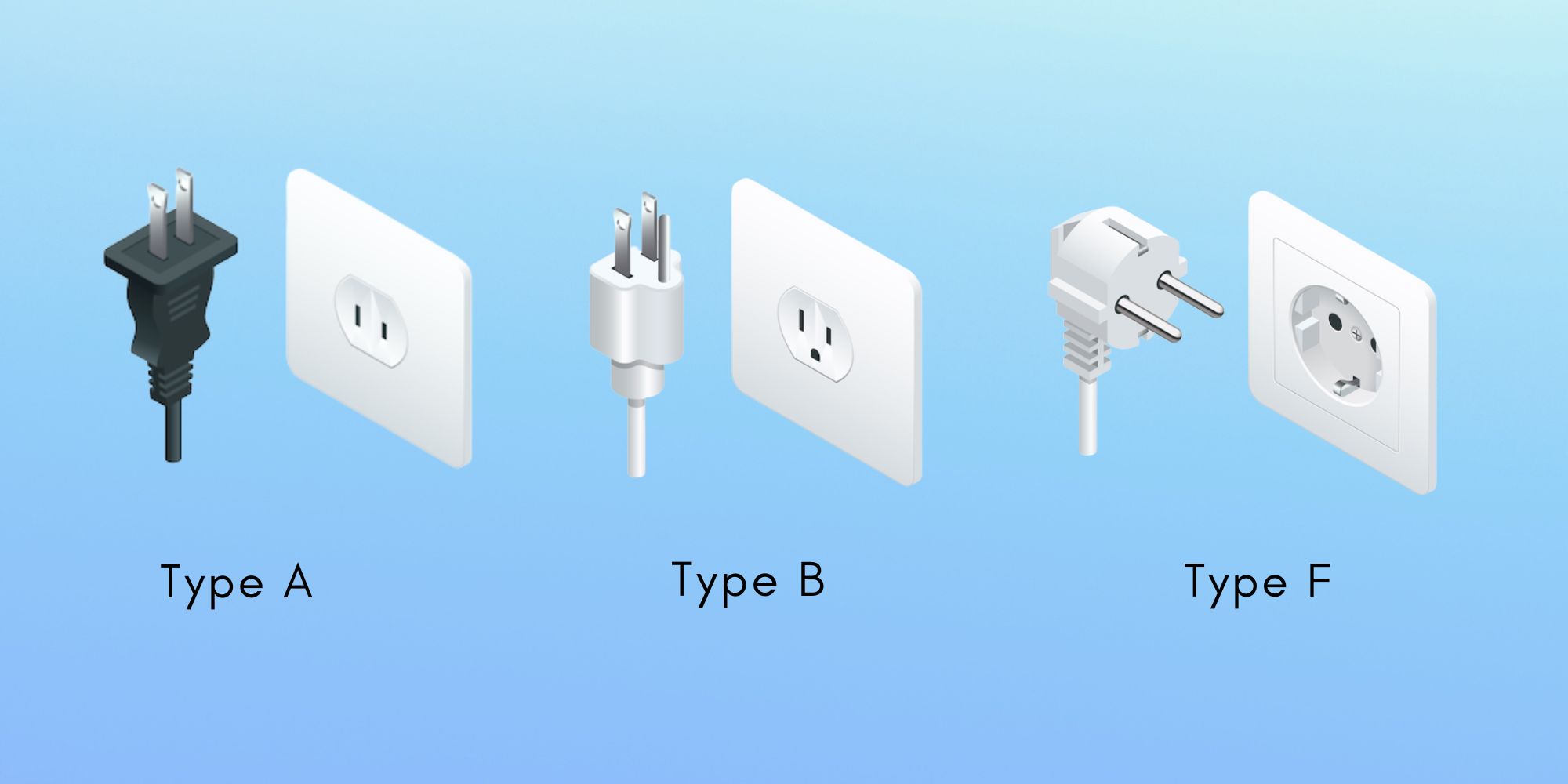
Aruba: Type A, Type B, and Type F plug shapes
Do I need a travel adapter for my laptop in Aruba?
Start with the wall plug on the exact power brick you plan to pack:
- From the US or Canada? If your laptop charger plug uses Type A/B, the shape may already match one of the local outlets. Check grounding and the exact socket before relying on a direct fit.
- From continental Europe? If your laptop charger plug uses Type F, the shape may already match one of the local outlets. Check grounding and the exact socket before relying on a direct fit.
- From the UK? A Type G plug does not match A/B/F directly, so a plug adapter is normally needed.
- From Australia or New Zealand? A Type I plug does not match A/B/F directly, so a plug adapter is normally needed.
- Not sure? Match the plug shape first, then compare the INPUT or rating label with Aruba’s 127 V supply.
Buy a travel adapter for laptop use in Aruba
If your laptop charger plug does not fit A/B/F, a simple plug adapter is usually the lightest fix. A universal adapter can be useful on multi-country trips, but it does not convert voltage.
For a multi-country trip, you can compare a universal travel adapter that supports the outlet types on your itinerary.
→ See travel adapter options on Amazon.

EPICKA Universal Travel Adapter — a practical plug-shape option for Aruba
Useful when your laptop charger already accepts 127 V but its wall plug does not match A/B/F. The adapter changes plug shape only.
Check current price on Amazon →As an Amazon Associate, TripPlanning.org may earn from qualifying purchases.What voltage and frequency should I check for in Aruba?
Aruba’s nominal supply is 127 V at 60 Hz.
Read the INPUT line on the laptop power brick. If its stated range includes 127 V and 60 Hz, the electrical input is compatible; then you only need to solve any plug-shape mismatch.
Many modern laptop chargers are designed for international input, but the label on your own charger is the source of truth.
Does my laptop charger need a voltage converter in Aruba?
Usually not if the exact charger already accepts 127 V. Many electronic chargers cover a broad input range, but read the label rather than assuming. If 127 V is outside the stated range, use manufacturer-approved equipment or get qualified advice before connecting it.
→ Compare voltage converter options on Amazon only when conversion is genuinely required and appropriate for the equipment.

BESTEK voltage converter — only if conversion is actually required
Do not add a converter automatically. First confirm that your laptop charger does not already accept 127 V, then check wattage and manufacturer guidance.
View on Amazon →As an Amazon Associate, TripPlanning.org may earn from qualifying purchases.Travel-friendly picks on Amazon
A few travel-power extras to compare for a trip to Aruba. Match every product to the electrical requirements of the equipment you actually carry.

Conair Dual-Voltage Travel Hair Dryer
A dual-voltage dryer for travelers who are also packing a hair tool alongside laptop gear for Aruba.
View on Amazon →
Anker 735 Charger (Nano II 65W)
A compact multi-port USB-C charger for phones, tablets and many USB-C laptops when output matches the device.
View on Amazon →
Anker Zolo Power Bank 20,000mAh 30W
A portable battery for travel days; check airline rules and your laptop’s charging requirements before relying on it.
View on Amazon →As an Amazon Associate, TripPlanning.org may earn from qualifying purchases.